
Golden Hair

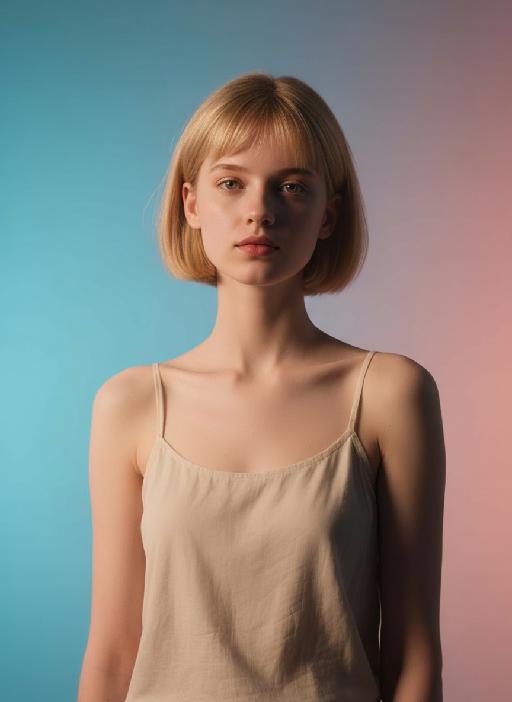
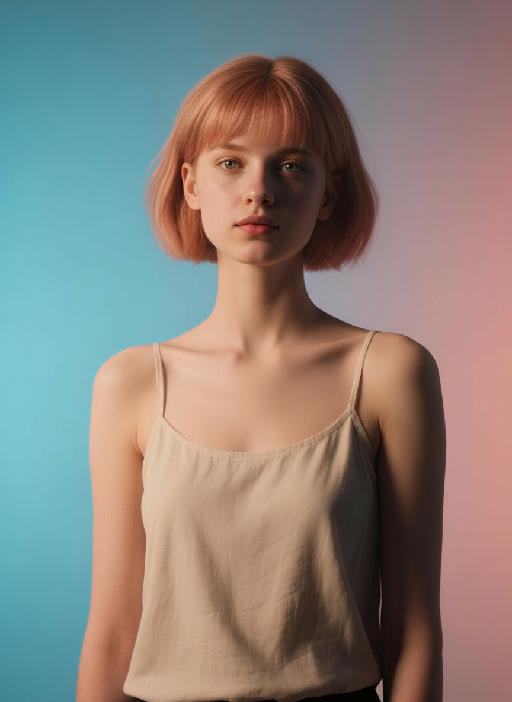
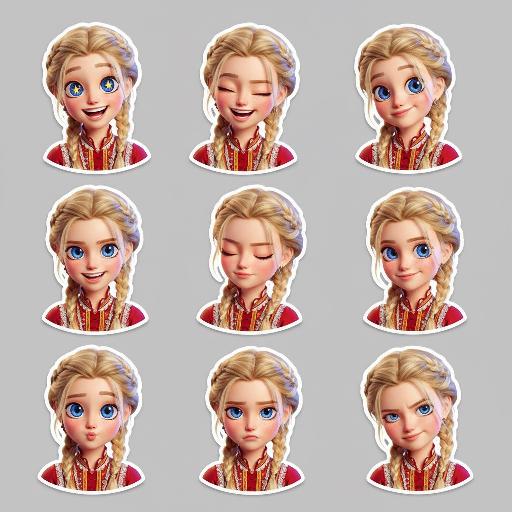
Change hair color to golden blonde while preserving original facial features, clothing, and pose. Maintain identical hairstyle, texture, and length for natural realism. Achieve seamless blending with accurate lighting and shadows for ultra-realistic photographic results. Professional AI photo editing tool.

Use Template
arrow
Golden Hair

FAQs

What are Effect Templates?

Effect Templates are predefined AI workflows that automatically transform static images into specific visual styles or animated formats, delivering consistent, high-quality results without manual adjustments.

How do I apply Effect Templates?

Select your preferred template > Upload an image > Generate. No text prompts required - templates handle all style parameters.

Where can I find more templates?

Explore 1000+ curated templates in our Explore Hub: https://vivago.ai/studio. New templates added weekly across categories.

What's the pricing?

Daily login grants 100 free credits. Exhausted credits? Choose: 1) Subscribe a membership plan, 2) Get a credit pack. Details: https://vivago.ai/subscribe

More From VIVAGO AI

Noir Portrait AI effects generated image

Noir Portrait

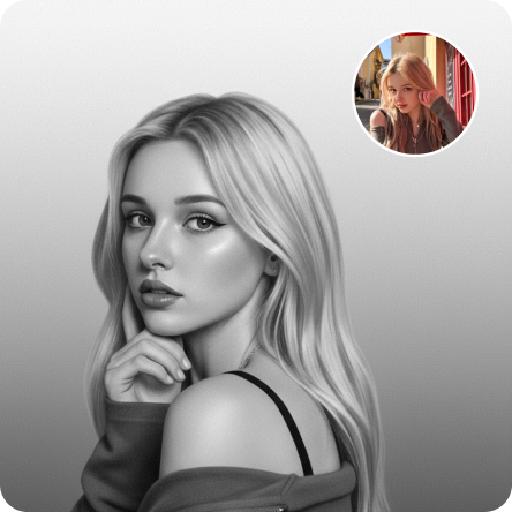
Generate black-and-white portrait artworks from the uploaded photos, using editing and artistic photography styles.The background presents a soft gradient effect, transitioning from medium gray to nearly pure white, creating a sense of layering and a quiet atmosphere. The fine film grain texture simulates the soft texture of photography, evoking the classic black-and-white photography. His face, with the outline of the light, evokes a sense of mystery, intimacy and elegance.A gentle directed beam of light diffused softly, caressing the curve of his cheek or flashing light spots in his eyes - this was the emotional core of the picture. The remaining part is occupied by a large amount of negative space, deliberately maintaining simplicity to allow the picture to breathe freely. There are no words or signs in the picture - only the interweaving of light and shadow with emotions. Change the pose for each photo.

Batida Forte

Medium and long-range realistic photography, strictly maintaining the identity and physical features of the reference object: preserving its original species, original identity, original face/face structure, coat color or skin color, patterns/figures, body proportions, eye color, ears/noses/mouth details, hairstyle or hair length and texture, age impression, gender temperament, and all unique identifiable features. The species facial features of the image in the uploaded picture cannot be changed (if it is an animal, it should be presented in an anthropomorphic standing posture), and the original identifiable appearance cannot be lost. Only the posture, clothing, accessories, expression design, shooting language and scene presentation can be changed. Clothing rules must be strictly followed: Wear a cute full top and short pants/shorts/work clothes/a full small suit. The clothing must moderately completely cover the body: there should be no exposed parts, no exposed private parts, no exposed lower body, and only a hat without other clothing should not be allowed. This set of clothing should be full of festive atmosphere, bright colors, cheerful, cute, slightly exaggerated but still exquisite, clean, suitable for the shape of the subject's body, and the target clothing style is a bright top with Brazilian football festival theme elements, mainly in green, yellow and blue colors, with football elements, sports patterns, eye-catching holiday stripes, tropical carnival atmosphere, like a festive football fan shirt or sports celebration T-shirt, paired with simple and cute shorts or the lower garment hidden under the top. Put a woven straw hat/cap/carnival-style round hat on the subject's head. The hat should have colorful woven decorations, tropical celebration atmosphere, Brazilian style festival details, exquisite, cute and highly attractive. Scene and environment: Place the subject in an outdoor warm-toned natural environment, standing on sand, warm soil or rough ground, with the background blurred to a soft natural color. The background color scheme should include golden brown, brown, olive green and warm orange, creating an outdoor portrait style with a shallow depth of field. The subject must be the main visual focus. Lighting and rendering: Use soft natural light, but not overly saturated. Style tags: realistic style, ultra-fine, true fur or skin texture, detailed clothing fabric, vivid holiday colors, soft natural light, shallow depth of field, cute commercial portrait, high-end social media pet photography. Style emphasis keywords: realistic style, warm outdoor soil background, therapeutic effect, realistic, high detail, complete and moderate clothing.

Eid Feast

Keep the number of characters and their facial features in the picture unchanged as prompted, and change the scene and background.Photorealistic family portrait, shot on Sony A7R V, 8K resolution, cinematic lighting with high contrast on faces (warm side light creates soft shadows and highlights), a Muslim family of four gathered around a dining table for Ramadan Iftar, smiling warmly at each other. The table is laden with traditional Iftar foods: dates, samosas, fresh fruits, colorful juices, and fried sweets. The background features hanging glowing crescent moon lanterns, string lights, and lit Ramadan lanterns on the table, creating a warm, festive night atmosphere. No 3D elements, pure photographic realism, sharp details on fabric textures and food, no text overlays or watermarks.

Princess AI effects generated image

Princess

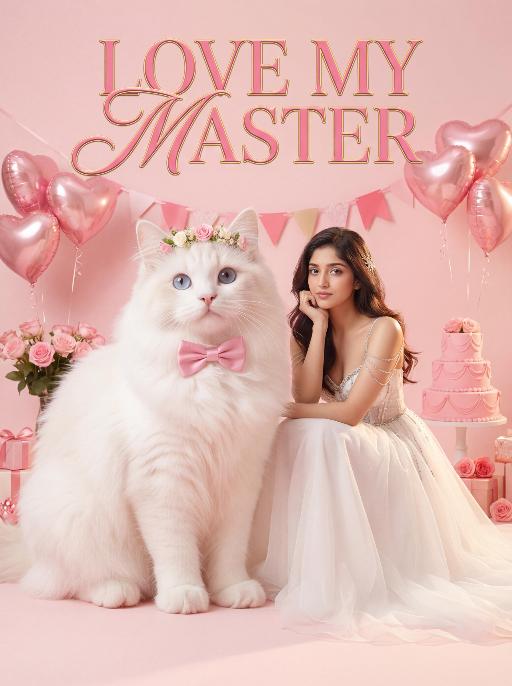
Surreal photography art: In the uploaded picture, the pet (with its features remaining the same, but its size transformed into a huge one with fluffy fur, occupying the left side of the picture and wearing cute accessories), and a person in the uploaded picture (with unchanged facial features, gender, and age) wearing an exquisite white high-end custom dress (wearing delicate accessories), places their chin on their hand and sits slightly on the ground beside the aforementioned pet, with the proportion of the pet and the person in the picture being 1 to 1; the color scheme is pink, with a natural realistic style, a photography studio photography style, the background is a simple pale pink clean photography studio background surface, surrounded by pink cakes and roses, with princess-style, Valentine's Day elements such as heart-shaped decorative balloons, a realistic pet photography style. High-key, soft, bright light, soft diffused shadows, warm low saturation tones (mutton white, pink, warm orange), creating a warm, intimate romantic Valentine's Day atmosphere between the pet and the person, fashionable avant-garde photography art, realistic film-level realistic effect, with a large title artistic design font: LOVE MY MASTER

House On Fire AI effects generated image

House On Fire

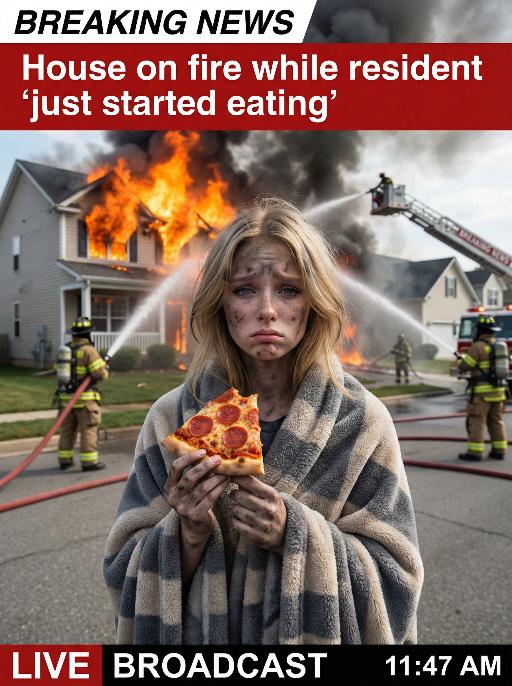
This is a realistic breaking news photo. In the middle of the picture is the uploaded figure (with the facial features, gender and age unchanged), standing in the middle of the frame, with coal dust all over his face, looking sad. He is wrapped in a gray and beige striped plush blanket and holding a slice of Italian pepperoni pizza, looking confused and sad. In the background, a two-story suburban house is engulfed in flames, and firefighters are using water hoses to put out the fire. The silhouette of a fire engine can be seen. The scene takes place on a residential street during the day. Above there is a prominent large red and white news headline: "BREAKING NEWS". In the middle and lower part of the picture, there is a news caption that reads: "House on fire while resident 'just started eating'", "LIVE BROADCAST", "11:47 AM".

Fashion Art AI effects generated image

Fashion Art

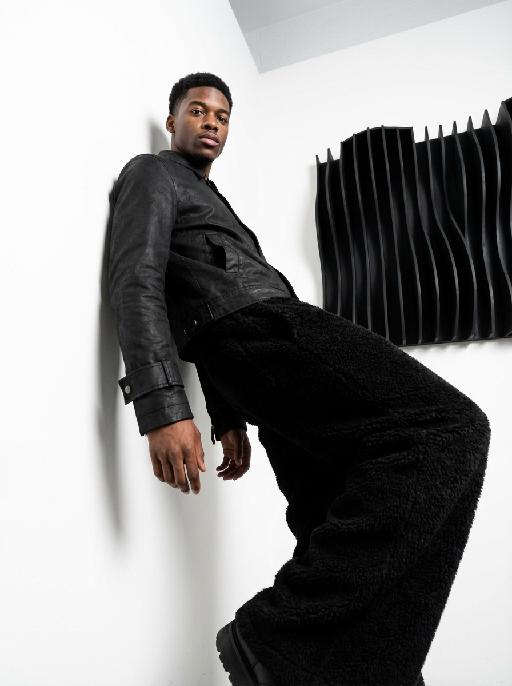
This is a set of professional minimalist style portrait works shot from a low angle. Using a 35mm wide-angle lens, a unique strong perspective distortion effect is presented. This work was taken with a Sony A7R V camera. The uploaded images show the image of the person (with facial features, age and gender unchanged), with neat short hair, matte makeup, highlighting a hard and angular outline, a cold and confident expression, and calm and avant-garde gaze directly at the camera. The body leans against a white matte wall, the right leg is bent and raised, the left arm is placed on the wall, and the right hand is naturally hanging down. Wearing a black worn-out high-end custom leather jacket (with detachable cuffs), a black inner layer, and loose and fluffy black wide-leg pants. The studio uses high-contrast hard light for illumination, with the main light forming a strong contrast line of light and dark in the front, deep shadows, and clear contours. The background is a white matte wall and some black three-dimensional abstract wave-shaped art installations, presenting a strong contrast in visual effect, high contrast, clear texture, and a fashionable and avant-garde photography art style, which can be regarded as a heavyweight work in the fashion world.

Paper Cutting AI effects generated image

Paper Cutting

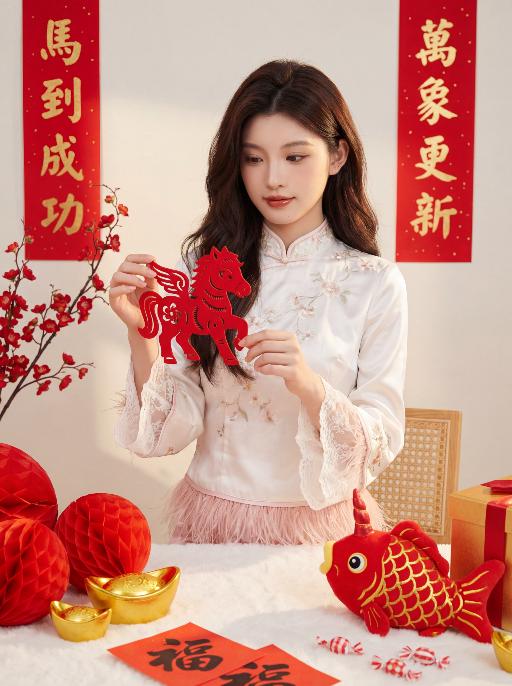
100% facial feature lock, zero deviation uploaded portrait (contours, eyes, lips, skin tone, youthful look), no facial distortion/over-smoothing, young East Asian sweet girl, standing half-body shot, standing upright, both hands holding a red paper-cut pony ornament (Year of the Horse theme) raised to chest level, head slightly lowered and focused on the paper-cut, gentle and lively posture, born-perfect base makeup, brownish-black wild eyebrows, earth-tone eye makeup, teardrop pearlescent under-eye highlights, sunflower curled long lashes, peach blush, mirror-finish reddish-brown lip glaze, cupid's bow highlighter, clean light texture, voluminous dark brown soft layered loose waves, no hair accessories, white new Chinese-style top, satin fabric with delicate floral embroidery, stand collar, lace flared cuffs, hem spliced with fluffy pink feather trim, white fluffy tablecloth, red honeycomb-pattern Fu character balls, glossy golden ingots, red fish plush toy (gold scales, red unicorn horn), red paper with handwritten Fu characters, red-white candies, red-gold gift box corner, traditional Chinese New Year scene, off-white matte wall, red gilded vertical couplets, left couplet: 马到成功, right couplet: 万象更新, positions fixed, no character changes/blurred text, red plum blossom branch, light brown rattan chair edge, clean uncluttered background, warm soft side-front natural light, subtle shadow contrast, enhance clothing & couplet 3D texture, no harsh shadows, red-gold-off-white color palette, festive warm healing vibe, Year of the Horse charm, 8K ultra HD, photorealistic, ultra-detailed, cinematic film grain, HDR, color accuracy 100%, noise-free, clear transparent 负向提示词: no swapped couplet positions, no modified couplet characters, no character blocking couplet text, no blurred couplet text, no sitting pose, no burgundy sweater, no hair bow/clips, no facial distortion/over-smoothing, no messy background, no stiff posture, no unnatural hand movements

Happy 2026 AI effects generated image

Happy 2026

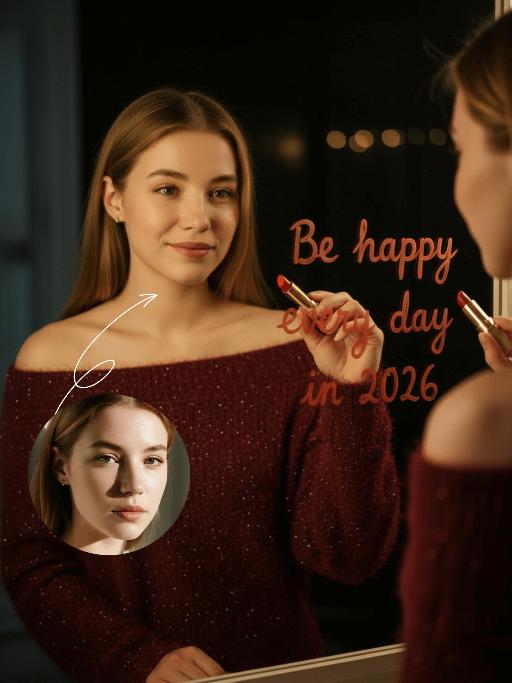
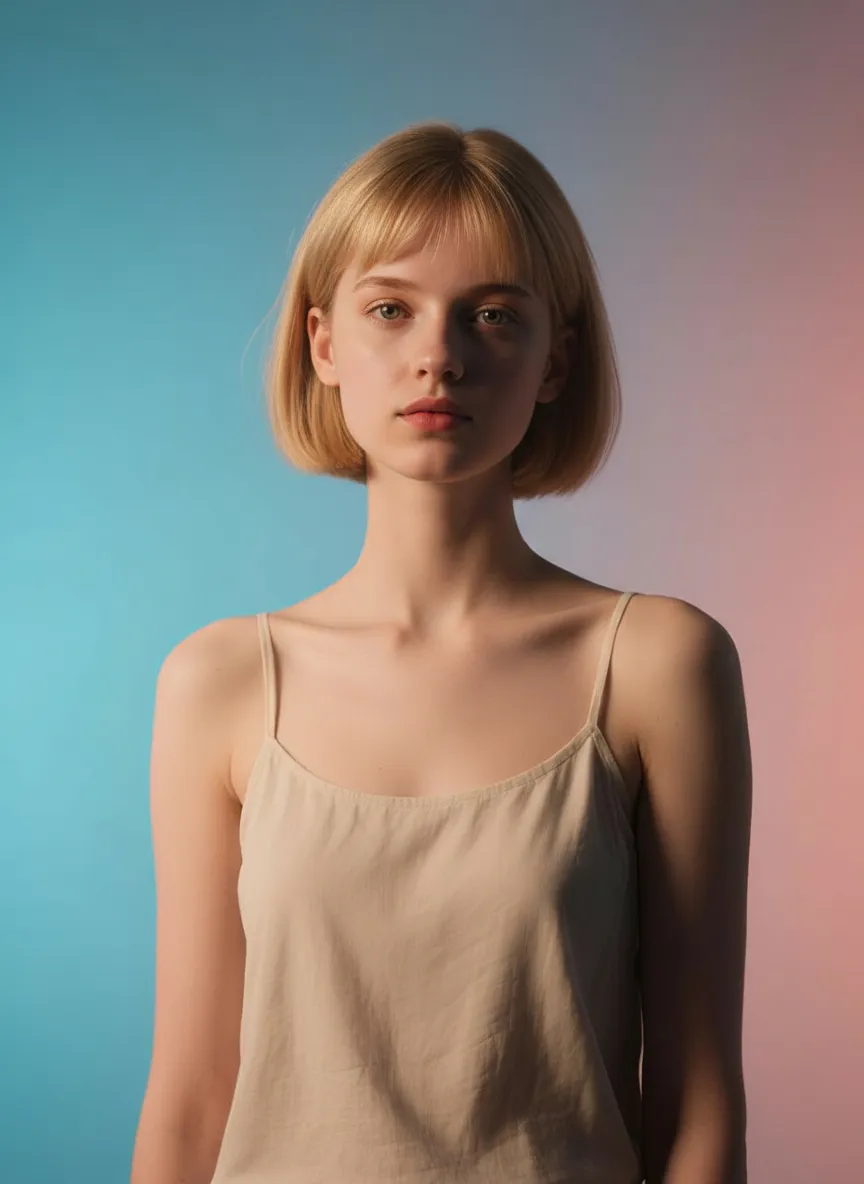
Subject & Posture: The figure from the uploaded image (unchanged facial features, age and gender) gazes at a mirror with a gentle smile, holding a lipstick to write on the mirror surface. The left hand grips a red lipstick with a gold case, writing on the mirror with it; the figure strikes a relaxed off-the-shoulder pose. Attire & Accessories: A burgundy off-the-shoulder fuzzy sweater with fine glitter texture; a red lipstick with a gold case held in hand. Composition & Perspective: Mirror reflection composition, medium close-up shot with the subject centered; shot with a 35mm lens and shallow depth of field (blurred background), the mirror shows partial reflections of the hand and lipstick. Lighting & Color Scheme: Dark, low-key background, with soft key light illuminating the face and clothing, plus tiny bokeh light spots; main color tones: burgundy, black and warm orange-red, creating a warm atmosphere with soft color contrast. Background & Details: In the bottom right corner of the background, the artistic handwritten phrase Be happy every day in 2026 in bold orange-red lipstick lettering; ultra-realistic texture with natural skin grain, and clear fuzzy & fine glitter fabric details of the garment. Natural skin retouching with well-preserved realistic light and shadow transitions, a Fuji film filter effect, and a warm, cozy ambiance enhanced by soft room lighting in the background. The figure’s reflection in the mirror is physically accurate and consistent with the figure outside the mirror.

Load more

Next-Gen Multi-Model AI Video Architecture

Vivago AI isn't just one engine—it’s a unified hub for the world’s most advanced video AI. Whether you need cinematic realism or high-speed social content, we provide the right model for your creative vision.

Free Generate


Beauty and Dolphins

Vacation Time


Stellar Tear

Fish Tank Supervisor

Cinematic Quality & Precision Control

Enables 4K resolution with multi-lens motion control, generating delicate scene via text prompts for customized cinematography.​

TRY NOW

Dynamic AV Sync

Auto-generates original audio to avoid copyright issues. Build 3D immersive environments through layered sound design automatically.

TRY NOW

OpenAI Sora 2

​Advanced visual storytelling with unparalleled physics and consistency.

TRY NOW

Kling v2.6 Pro

Industry-leading cinematic image animation and motion control.

TRY NOW

Google Veo 3 & 3.1

Ultra-fast generation with enhanced realism for creative workflows.

TRY NOW

Vivago AI 2.0

Our proprietary model optimized for efficiency, speed, and cost-effective generation.

TRY NOW

Users' Voice

We listen carefully to the opinions of every user.
Free Generate
Contact Us
I tried the Lip Sync feature inside Vivago.ai’s AI Video Generator for my educational podcast, and the results were stunning! The avatar's lip movements perfectly matched my audio recording, creating a professional AI-generated video without complex editing. Compared with tools like OpenAI Sora 2 and Google Veo 3.1, Vivago Image-to-Video delivers fast, studio-quality results online. It saved me hours of post-production work.
ElenaM (Spain)
Vivago’s Image-to-Video AI transformed my marketing workflow. I uploaded a product image and described the launch scene in text, and it generated a 10-second cinematic AI video with background music and dynamic visuals. The output quality rivals Kling v2.6 Pro and Google Veo 3 Fast. It’s now my go-to AI video generator for social media ads and product campaigns.
KenjiT (Japan)
As a digital artist, I use Vivago.ai 2.0 daily for Image-to-Image and AI Image-to-Video creation. The e-book covers and animated visuals I generate for clients look cinematic and professional. Unlike many standalone AI tools, Vivago integrates multiple leading models into one platform, making it easier to create copyright-safe AI images and videos for publishing.
ChenL (China)
I tried the Lip Sync feature inside Vivago.ai’s AI Video Generator for my educational podcast, and the results were stunning! The avatar's lip movements perfectly matched my audio recording, creating a professional AI-generated video without complex editing. Compared with tools like OpenAI Sora 2 and Google Veo 3.1, Vivago Image-to-Video delivers fast, studio-quality results online. It saved me hours of post-production work.
ElenaM (Spain)
Vivago’s Image-to-Video AI transformed my marketing workflow. I uploaded a product image and described the launch scene in text, and it generated a 10-second cinematic AI video with background music and dynamic visuals. The output quality rivals Kling v2.6 Pro and Google Veo 3 Fast. It’s now my go-to AI video generator for social media ads and product campaigns.
KenjiT (Japan)
As a digital artist, I use Vivago.ai 2.0 daily for Image-to-Image and AI Image-to-Video creation. The e-book covers and animated visuals I generate for clients look cinematic and professional. Unlike many standalone AI tools, Vivago integrates multiple leading models into one platform, making it easier to create copyright-safe AI images and videos for publishing.
ChenL (China)
I absolutely love Vivago’s AI Image-to-Video Generator. As a travel blogger, static images often fail to capture real atmosphere, but Vivago helps me turn photos into vivid cinematic AI videos with motion effects. It feels comparable to OpenAI Sora 2 and Google Veo 3.1, but more accessible and faster for creators who need high-quality AI videos online.
LiamK (Australia)
I tried the Lip Sync feature inside Vivago.ai’s AI Video Generator for my educational podcast, and the results were stunning! The avatar's lip movements perfectly matched my audio recording, creating a professional AI-generated video without complex editing. Compared with tools like OpenAI Sora 2 and Google Veo 3.1, Vivago Image-to-Video delivers fast, studio-quality results online. It saved me hours of post-production work.
ElenaM (Spain)
Vivago’s Image-to-Video AI transformed my marketing workflow. I uploaded a product image and described the launch scene in text, and it generated a 10-second cinematic AI video with background music and dynamic visuals. The output quality rivals Kling v2.6 Pro and Google Veo 3 Fast. It’s now my go-to AI video generator for social media ads and product campaigns.
KenjiT (Japan)
As a digital artist, I use Vivago.ai 2.0 daily for Image-to-Image and AI Image-to-Video creation. The e-book covers and animated visuals I generate for clients look cinematic and professional. Unlike many standalone AI tools, Vivago integrates multiple leading models into one platform, making it easier to create copyright-safe AI images and videos for publishing.
ChenL (China)
I absolutely love Vivago’s AI Image-to-Video Generator. As a travel blogger, static images often fail to capture real atmosphere, but Vivago helps me turn photos into vivid cinematic AI videos with motion effects. It feels comparable to OpenAI Sora 2 and Google Veo 3.1, but more accessible and faster for creators who need high-quality AI videos online.
LiamK (Australia)
Using Vivago.ai’s Image-to-Video AI has greatly enhanced my classroom teaching. I transform textbook notes into historical AI videos with cinematic filters and dynamic animations. Compared with tools like Kling v2.6 Pro and Google Veo 3 Fast, Vivago offers faster generation and easier parameter control for educators who need reliable AI video creation.
RajivG (India)
I frequently create AI videos on Vivago and publish them on TikTok and YouTube Shorts. The AI video templates and trending content ideas help me produce viral-ready clips quickly. With Vivago’s integrated models—including advanced video engines similar to OpenAI Sora 2—I can generate anime-style and cinematic social media videos that drive high engagement.
MarieJ (Spain)
What attracts me most about Vivago.ai is not only the powerful AI Video Generator but also the active AIGC creator community. It combines AI Image-to-Video, Text-to-Video, and leading model integrations like Google Veo 3.1 into one creative platform.
TomW (India)
At first, I was hesitant about using AI video tools. But after trying Vivago Image-to-Video, I realized how easy it is to create professional AI-generated videos online. I just upload an image, add a short prompt, and adjust a few settings. The results are cinematic and copyright-safe, which is essential for commercial projects.
HectorC (Mexico)
Using Vivago.ai’s Image-to-Video AI has greatly enhanced my classroom teaching. I transform textbook notes into historical AI videos with cinematic filters and dynamic animations. Compared with tools like Kling v2.6 Pro and Google Veo 3 Fast, Vivago offers faster generation and easier parameter control for educators who need reliable AI video creation.
RajivG (India)
I frequently create AI videos on Vivago and publish them on TikTok and YouTube Shorts. The AI video templates and trending content ideas help me produce viral-ready clips quickly. With Vivago’s integrated models—including advanced video engines similar to OpenAI Sora 2—I can generate anime-style and cinematic social media videos that drive high engagement.
MarieJ (Spain)
What attracts me most about Vivago.ai is not only the powerful AI Video Generator but also the active AIGC creator community. It combines AI Image-to-Video, Text-to-Video, and leading model integrations like Google Veo 3.1 into one creative platform.
TomW (India)
At first, I was hesitant about using AI video tools. But after trying Vivago Image-to-Video, I realized how easy it is to create professional AI-generated videos online. I just upload an image, add a short prompt, and adjust a few settings. The results are cinematic and copyright-safe, which is essential for commercial projects.
HectorC (Mexico)